
Clean your Mac with Mole
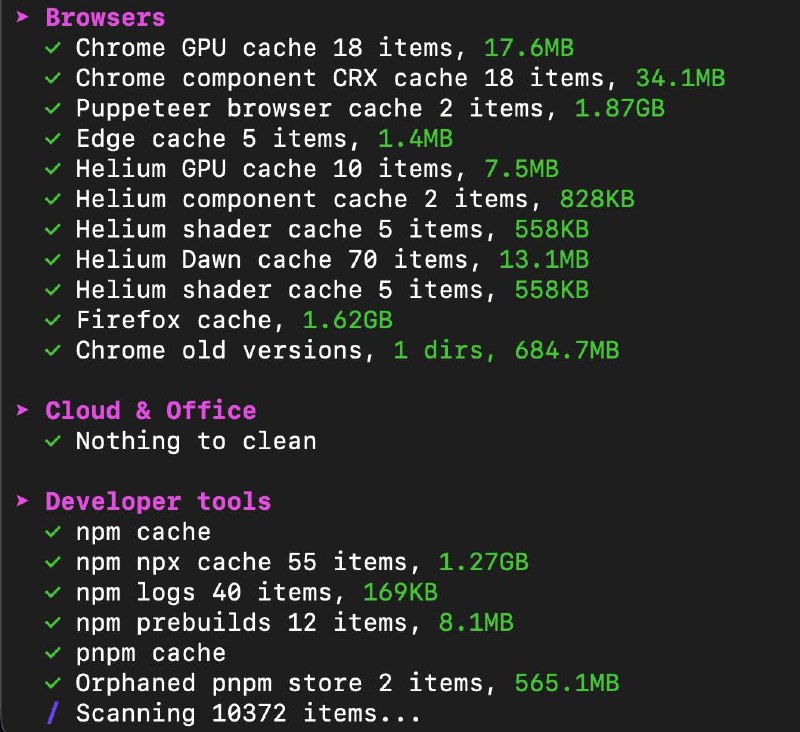
If you spend much of your time in the terminal, you probably prefer CLI tools over bulky GUI applications for system maintenance. Enter Mole, a free and open-source, all-in-one macOS cleaner CLI tool.
It serves as a lightweight alternative to many popular Mac “cleaner” apps, offering a transparent and efficient way to reclaim disk space across various locations.
Reclaim Your Disk Space
Mole helps you remove unwanted files taking up space in:
- Browser Caches & Logs: Safari, Chrome, and more.
- Temp Files: System and user-level temporary artifacts.
- App-Specific Folders: Caches for apps like Spotify, Slack, and Discord.
- Development Tools: Deep cleaning for project artifacts,
node_modules, and more.
It doesn’t just stop at caches; Mole also helps you completely remove applications and their associated files, as well as those installer packages (.pkg, .dmg) often left lying around in your Downloads folder.
System Optimization
Beyond cleaning, Mole includes an optimize function. This cleans system databases and clears caches specifically to get macOS running better and more responsively.
Safety and Control
One of Mole’s best features is how it handles sensitive data:
- Interactive Cleaning: When removing project build artifacts, it will ask you to select the folders to clean first.
- Dry Runs: You can dry run each operation to make sure you’re happy with what it’s doing before any files are actually deleted.
- Exclusions: You can easily add folders to exclude from operations, ensuring your important data stays untouched.
Visualization and Monitoring
Mole also includes a built-in disk space visualizer and a live system monitor, giving you a clear view of your resource usage directly in the terminal.
Installation
The easiest way to get Mole is via Homebrew:
brew install moleAlternatively, you can use their install script:
curl -fsSL https://raw.githubusercontent.com/tw93/mole/main/install.sh | bashQuick Commands
- Dry run:
mole clean --dry-run - Full clean:
mole clean - Optimize system:
mole optimize
Mole is a fantastic addition to any Mac power user’s toolkit. It’s fast, scriptable, and puts you in full control of your system maintenance.

